
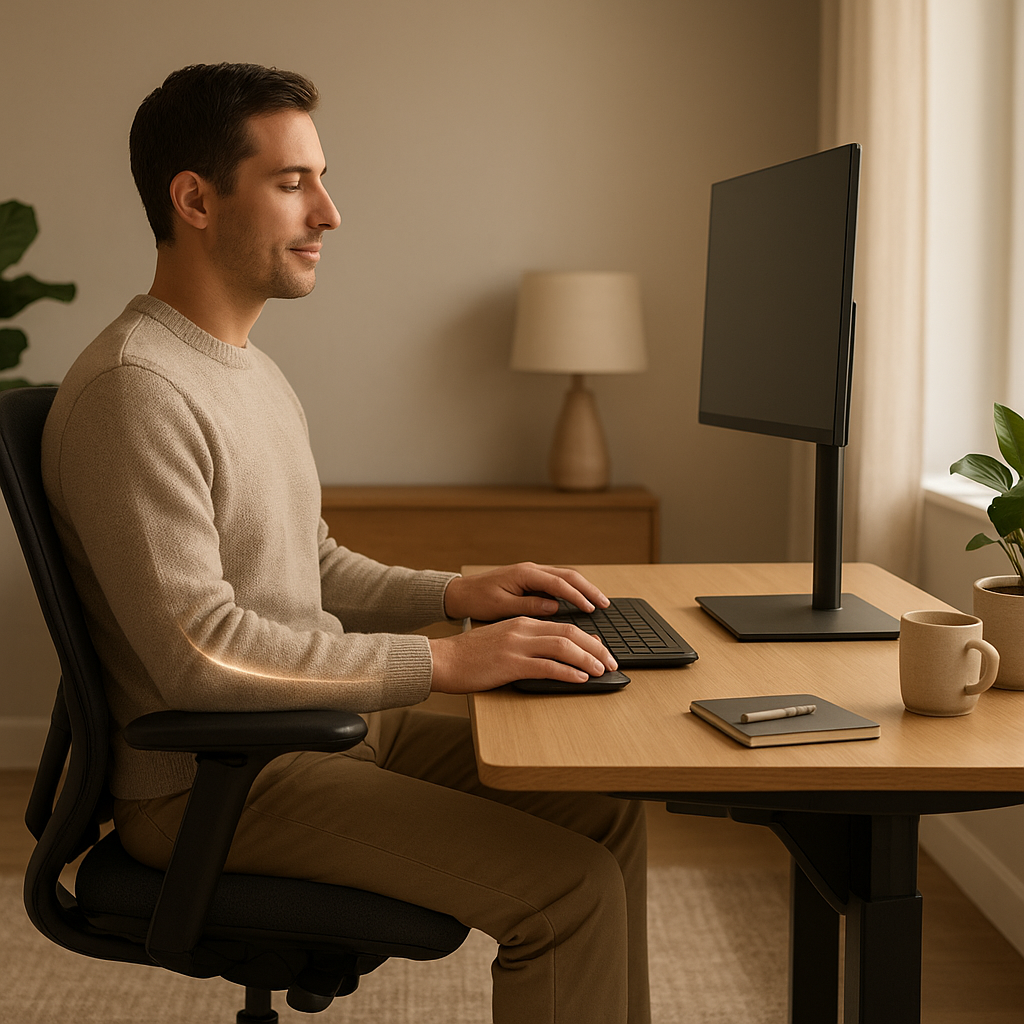
The shift to remote working has transformed spare bedrooms, kitchen tables, and living room corners into full-time workspaces. While the flexibility is undeniable, many people are discovering that hunching over a laptop on the sofa for eight hours a day comes with some uncomfortable consequences — quite literally. Back pain, eye strain, wrist aches, and persistent headaches have become the unofficial side effects of the home office era. This is where ergonomics steps in, and understanding it could genuinely change how you feel at the end of each working day.
Ergonomics is the science of designing and arranging workspaces so that people can interact with their environment in the most efficient and comfortable way possible. It isn’t just a corporate buzzword — it has real, measurable effects on your physical health, mental wellbeing, and long-term productivity. Whether you work from home occasionally or full-time, setting up your space with ergonomic principles in mind is one of the smartest investments you can make in your health.
Why Ergonomics Matter More in a Home Office Than You Might Think
In a traditional office, health and safety regulations often ensure that workstations meet a minimum ergonomic standard. Employers are typically required to conduct display screen equipment (DSE) assessments and provide appropriate furniture. At home, none of those safeguards automatically apply. You are, in most cases, entirely responsible for the space you work in.
According to research published by the British Journal of Occupational Therapy, musculoskeletal complaints increased significantly among remote workers during and after the COVID-19 pandemic, with many citing inadequate home setups as a contributing factor. A study from the Institute for Employment Studies found that over half of remote workers reported new aches and pains after transitioning to working from home — particularly in the neck, shoulders, and lower back.
These aren’t minor inconveniences. Chronic musculoskeletal issues can lead to reduced concentration, increased sick days, and long-term conditions that require medical intervention. Getting ergonomics right from the start — or correcting your setup now — is far easier than managing the consequences of getting it wrong.
Why Are Ergonomics Important in the Office?
Ergonomics matters in any working environment because the human body simply wasn’t designed to sit in a fixed position, staring at a screen, for hours on end. Poor posture and repetitive strain place continuous stress on muscles, tendons, joints, and the spine. Over time, this stress accumulates into conditions such as:
- Repetitive strain injury (RSI) — particularly in the wrists, forearms, and shoulders
- Lower back pain — one of the leading causes of workplace absence in the UK
- Neck and upper back tension — often caused by screens positioned too low or too far away
- Eye strain and headaches — resulting from poor lighting, glare, or screens set at the wrong brightness
- Carpal tunnel syndrome — linked to improper keyboard and mouse positioning
Beyond the physical, ergonomics also influences cognitive performance. Discomfort is distracting. When your body is uncomfortable, your brain diverts attention to managing that discomfort rather than focusing on your work. Studies have shown that ergonomically sound workstations can improve productivity by as much as 25%, simply by removing the physical friction of working in an ill-fitted environment.
The 90-90-90 Rule in Ergonomics Explained
One of the most widely referenced principles in office ergonomics is the 90-90-90 rule. It refers to the ideal angles your body should form at three key joints when seated at a workstation:
- Hips: Bent at approximately 90 degrees, with your thighs roughly parallel to the floor
- Knees: Also at 90 degrees, with your feet flat on the floor (or on a footrest)
- Elbows: At 90 degrees, with your forearms parallel to the desk surface as you type
When these three angles are maintained, your spine is in a neutral position, your muscles are under minimal strain, and your circulation is less likely to be impeded. It sounds simple, but achieving all three simultaneously often requires adjustable furniture — particularly a chair with height, armrest, and lumbar support adjustments.
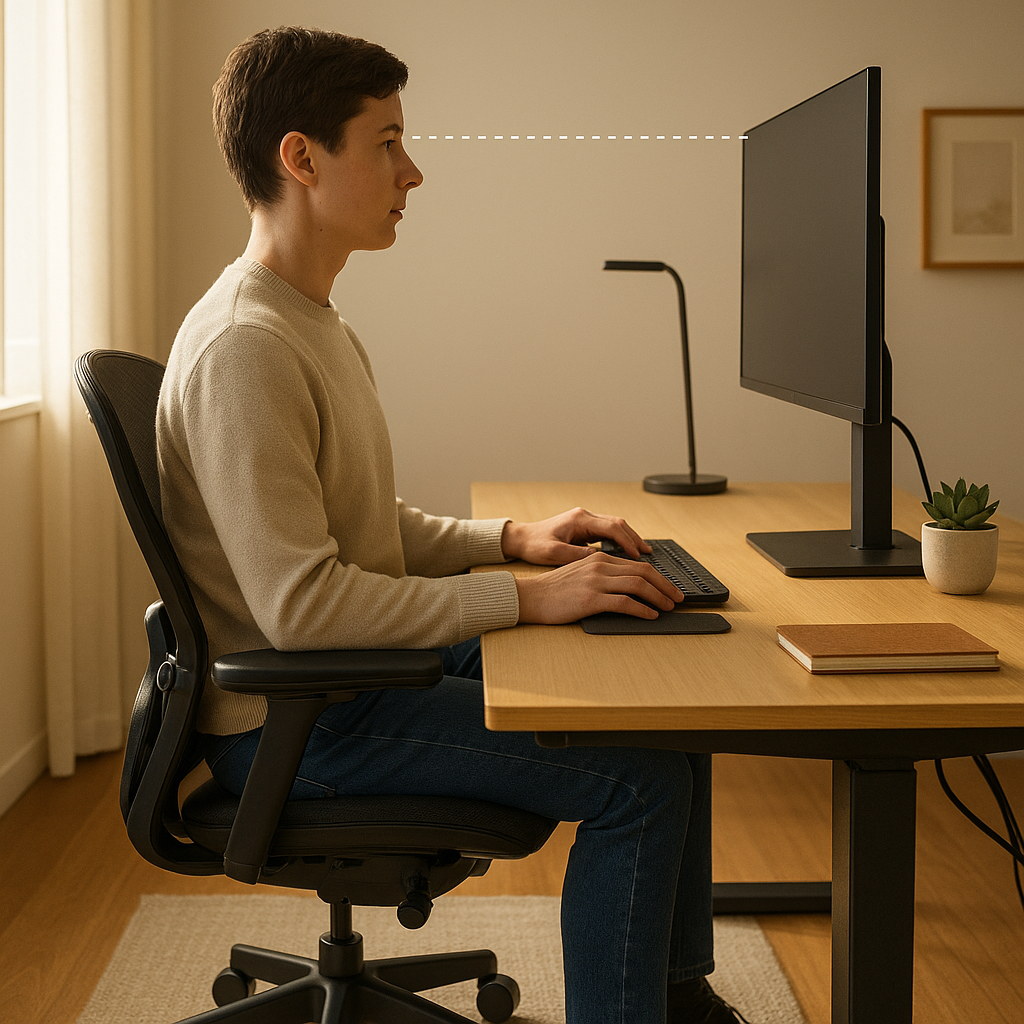
It’s worth noting that the 90-90-90 rule is a guideline, not a rigid prescription. Some ergonomics specialists now advocate for slight variations — a hip angle of 100–110 degrees, for instance, can reduce lumbar compression. The key takeaway is that your body should be supported, not forced into positions it finds uncomfortable.
What Is the 20-8-2 Rule for Ergonomics?
Sitting still, even in a perfectly ergonomic chair, is still sitting still. Extended periods of sedentary behaviour carry their own health risks, which is why movement is a cornerstone of modern ergonomic thinking. The 20-8-2 rule offers a practical framework for breaking up your working day:
- 20 minutes of sitting
- 8 minutes of standing
- 2 minutes of moving or stretching
This 30-minute cycle encourages regular postural changes and light movement throughout the day, which helps to maintain circulation, reduce muscle fatigue, and keep energy levels more consistent. Sit-stand desks have become increasingly popular as a tool for implementing this kind of routine, though even a makeshift standing position using a raised surface can be effective in a home setting.
You don’t need expensive equipment to follow the 20-8-2 principle. Setting a timer as a reminder to stand, stretch, or take a short walk every half hour can make a substantial difference to how you feel by the end of the day.
Ergonomic Tips for Your Home Office: A Practical Overview
Chair Setup
Your chair is arguably the most important element of your ergonomic setup. Ideally, it should have adjustable seat height, lumbar support, and armrests. Your feet should rest flat on the floor, and the chair back should support the natural curve of your lower spine. If your chair doesn’t offer lumbar support, a rolled-up towel or a purpose-made cushion can provide a reasonable substitute.
Monitor Position
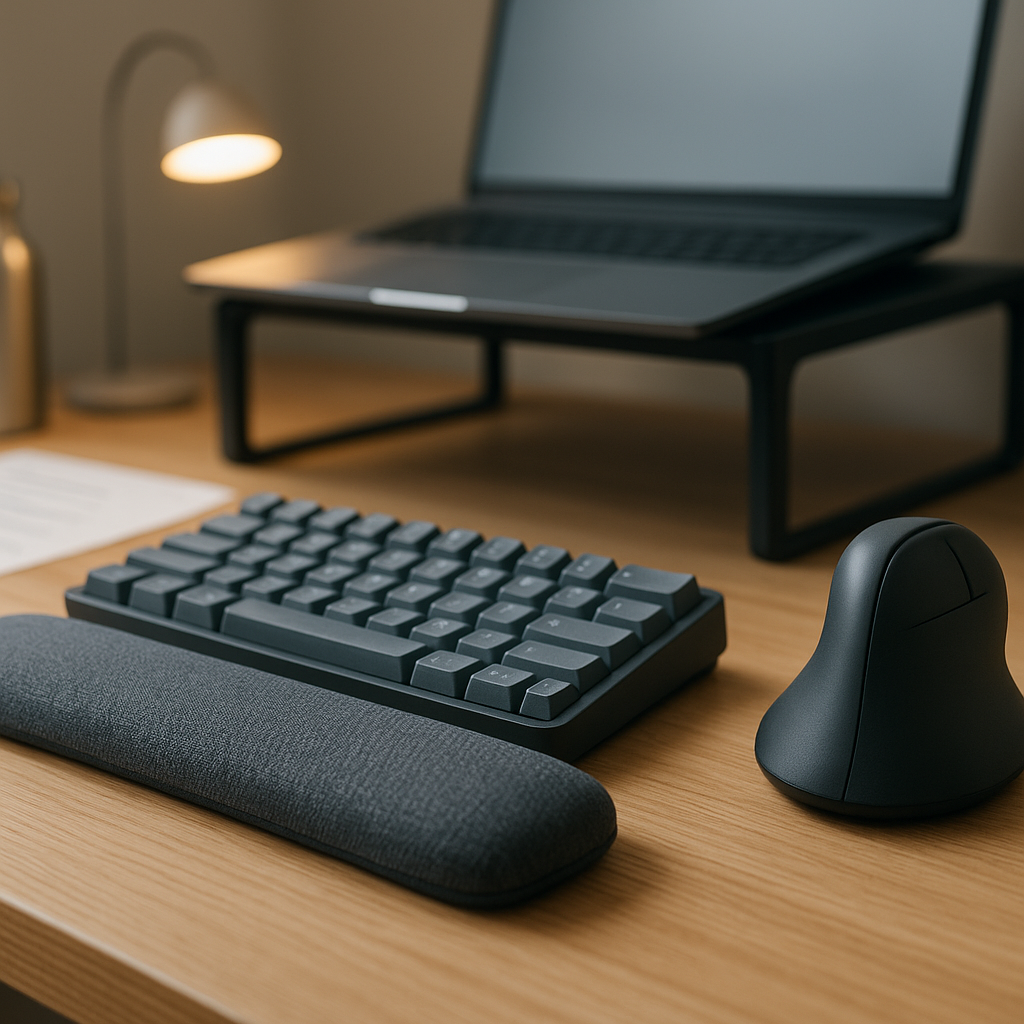
Your screen should be positioned at arm’s length away (roughly 50–70 cm) and the top of the monitor should be at or just below eye level. This prevents you from craning your neck upward or downward. If you use a laptop as your primary device, it’s strongly advisable to invest in a separate keyboard and mouse so you can raise the screen to the appropriate height using a stand or a stack of books.
Keyboard and Mouse Placement
Both your keyboard and mouse should be close enough that your arms aren’t stretched out to reach them. Your elbows should remain at that 90-degree angle, with your wrists in a neutral position — not bent upward or downward as you type. A wrist rest can be helpful, but it should be used between typing, not during it.
Lighting and Glare
Poor lighting is a surprisingly significant contributor to eye strain and headaches. Ideally, your desk should be positioned perpendicular to windows to avoid both glare and direct sunlight hitting your screen. Combining natural light with a good desk lamp that illuminates your workspace — without shining directly at your eyes — is the gold standard. Adjusting your screen’s brightness to match the ambient light in the room also reduces strain considerably.
Desk Height and Layout
A standard desk height of around 73–76 cm works well for most adults, but individual variation means this isn’t universal. If your desk is too high, your shoulders will rise to compensate; if it’s too low, you’ll hunch. Keep frequently used items — your phone, notebook, and any documents you reference regularly — within easy reach to avoid repeated awkward stretching.
Additional Ergonomic Tips for Remote Workers
Beyond the core setup, there are several habits and adjustments that can further support your health as a remote worker:
- Use a headset or speakerphone for calls rather than cradling your phone between your ear and shoulder — one of the fastest routes to neck strain
- Apply the 20-20-20 rule for your eyes: every 20 minutes, look at something 20 feet away for 20 seconds to reduce eye fatigue
- Keep your workspace dedicated where possible — working from the sofa or bed might be tempting, but these surfaces offer no postural support
- Stretch regularly — simple neck rolls, shoulder shrugs, and chest openers can counteract the forward-hunching posture that builds up over hours of desk work
- Stay hydrated — fatigue and reduced concentration are common symptoms of mild dehydration, and they often make people slump more in their chairs
Building an Ergonomic Workspace on a Budget
A fully kitted-out ergonomic home office doesn’t have to be expensive. While standing desks and specialist chairs represent the premium end of the market, many ergonomic improvements cost very little. Simple, practical adjustments to your space can often make a surprisingly big difference:
- Raise your monitor with a stack of sturdy books
- Use a firm cushion to add seat height or lumbar support
- Position your desk lamp to illuminate work without casting glare on your screen
- Use a separate keyboard and mouse if you work on a laptop
- Set movement reminders on your phone or computer
Small, thoughtful adjustments often make a surprisingly big difference. The goal isn’t perfection — it’s creating an environment where your body isn’t working against itself all day.
Conclusion
Ergonomics in the home office is not a luxury reserved for those with unlimited budgets or dedicated workspaces. It’s a practical, evidence-based approach to protecting your physical health and sustaining your ability to work effectively over the long term. From understanding the 90-90-90 rule and applying the 20-8-2 principle to simple adjustments like monitor height and lighting, the principles of good ergonomics are accessible to anyone.
The cumulative effect of poor posture and repetitive strain is gradual — which makes it easy to ignore until the discomfort becomes difficult to manage. Taking time to assess and improve your home office setup now is a straightforward way to reduce pain, improve focus, and look after your health for the years of remote working ahead.